
A free music manager for Windows
Lime rips your CDs properly, keeps your library lossless, and puts the best of it on your iPod. No account, no ads, no telemetry.
 Download Lime0.1.0-alpha.2 · Windows 10/11, 64-bit · free
Alpha Expect rough edges.
System requirements
Latest news: – Lime 0.1.0 alpha
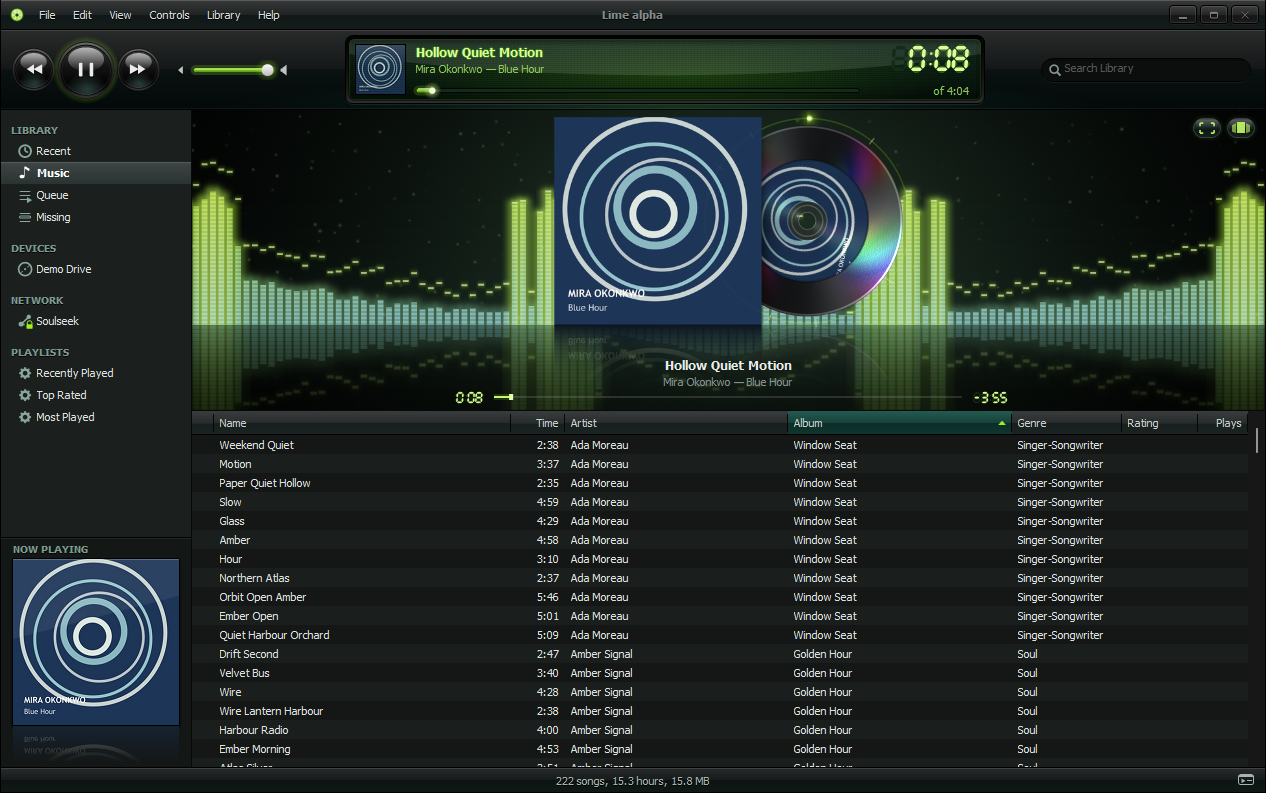
What Lime does
-
A lossless library
FLAC first, with ratings, play counts, smart playlists and tag editing. Fast with large collections. -
Secure CD ripping
Re-reads until the data is right, then verifies against AccurateRip and the CUETools database. -
iPod sync that fits
Picks what fits on your iPod and converts lossless to AAC or Apple Lossless as needed. Experimental. -
3D album flow and gatefold view
Flip through your covers, or open an album like a record sleeve. -
Now Playing and mini player
A full-window visualizer, or a small always-on-top player with an LCD display. -
Missing tracks and watch folders
Find incomplete albums, and import new downloads automatically. -
Soulseek integration
Search and download from the Soulseek network inside Lime. Every file is checked before it reaches your library.
Rip it once, rip it right
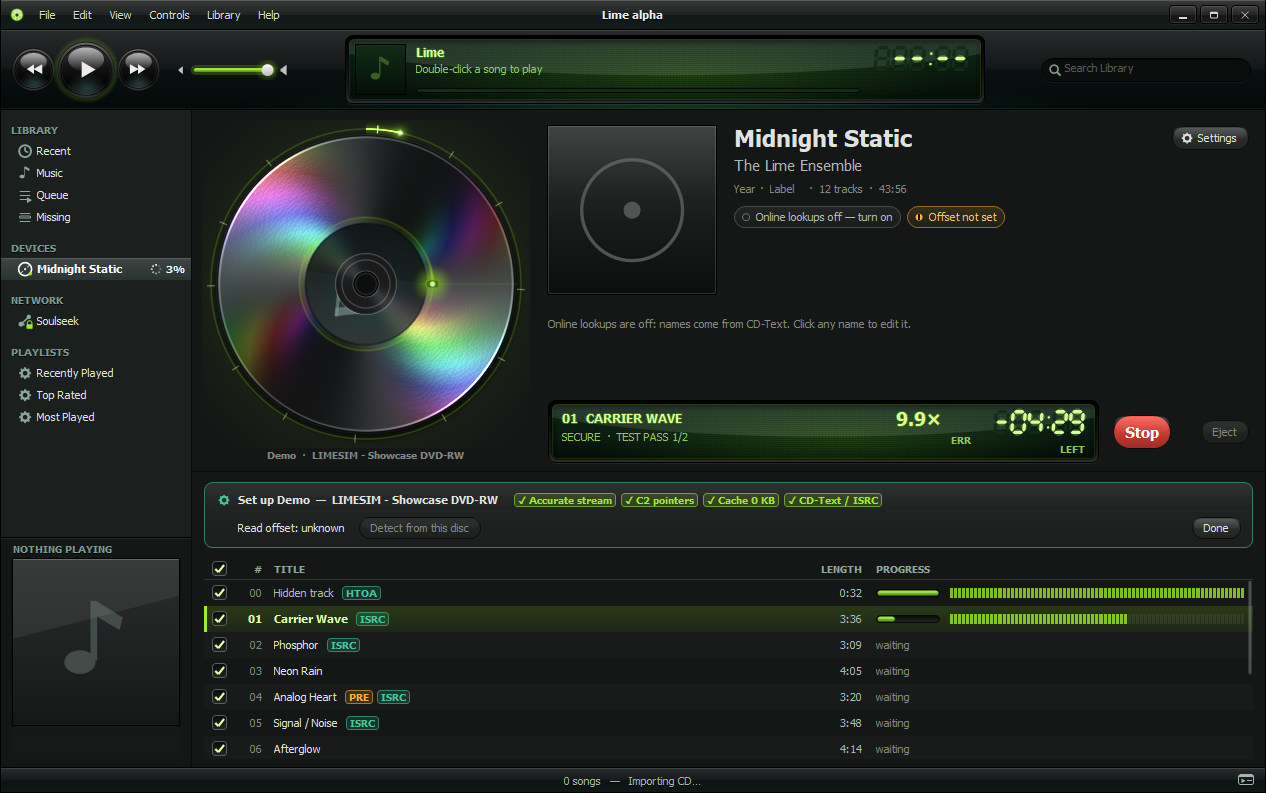
Lime's ripper reads every sector twice and compares, re-reads whatever doesn't match, and checks the result against AccurateRip and the CUETools database. You get FLAC files with a cue sheet and a log you can trust, plus optional Apple Lossless or AAC copies.
Browse like a record shop
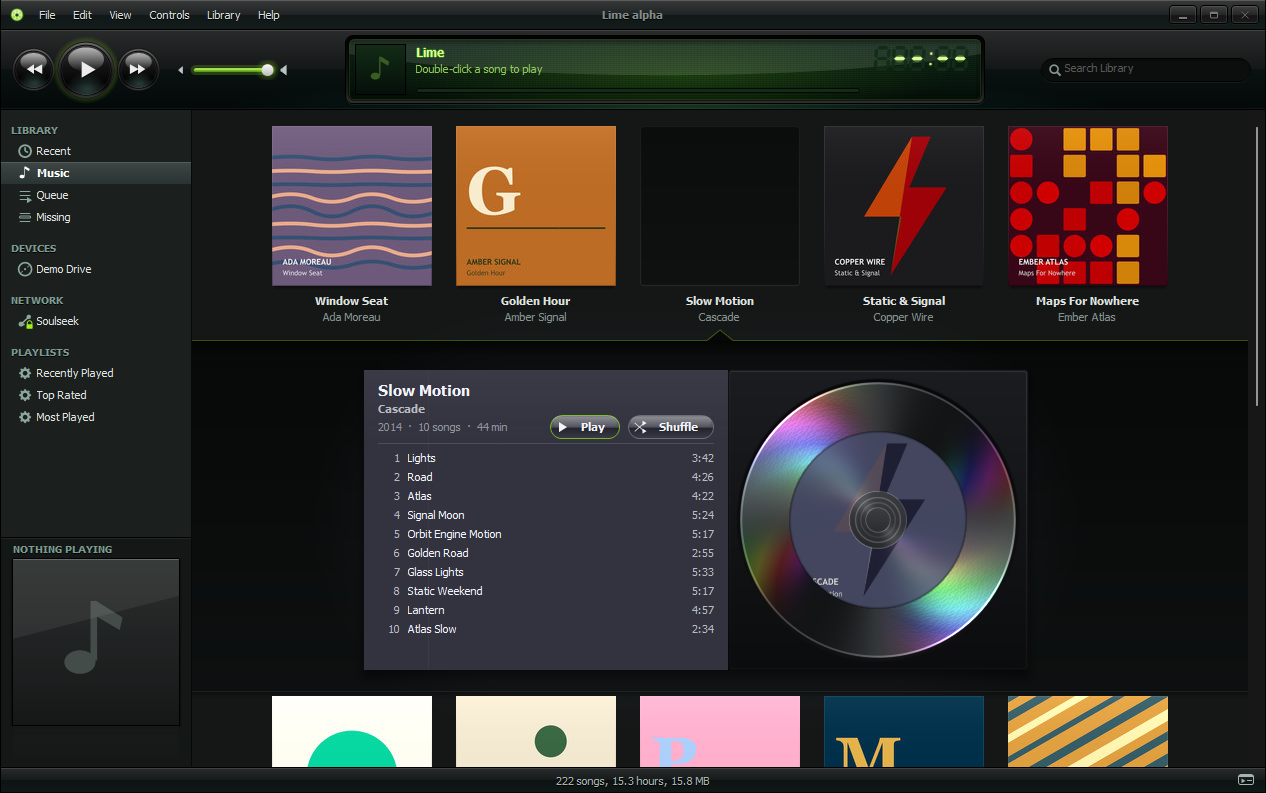
Switch to the album grid and click any cover: it unfolds like a gatefold sleeve, with the tracklist and ratings on one side and the disc on the other, spinning while the album plays.
Watch folders pick up new music by themselves, and Find Missing Tracks tells you which albums are incomplete.
Your covers, front and centre
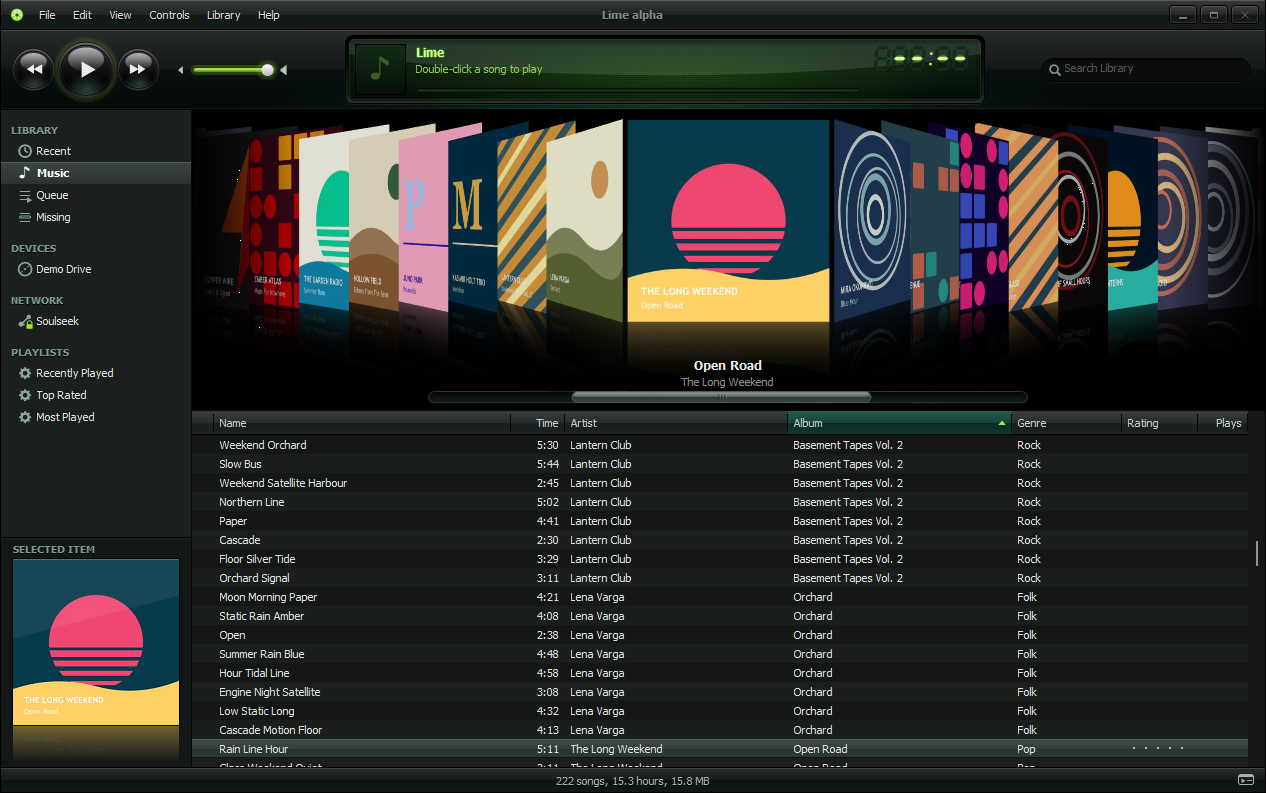
The 3D album flow sits above your song list and follows what you select. Drag, scroll or use the arrow keys to flip through; Enter plays the centred album.
Press N to switch to Now Playing and V to change the visualizer.
System requirements
| Windows | Windows 10 or 11, 64-bit (x64) |
|---|---|
| Graphics | Direct3D 11 (falls back to software rendering) |
| Disk | About 50 MB, plus room for the library database |
| iPod sync | Click-wheel iPods, nano (1st-4th gen.), mini, shuffle |