
Features
Lime is a native Windows program written in Rust. It starts quickly and stays quick with very large libraries.
A lossless library
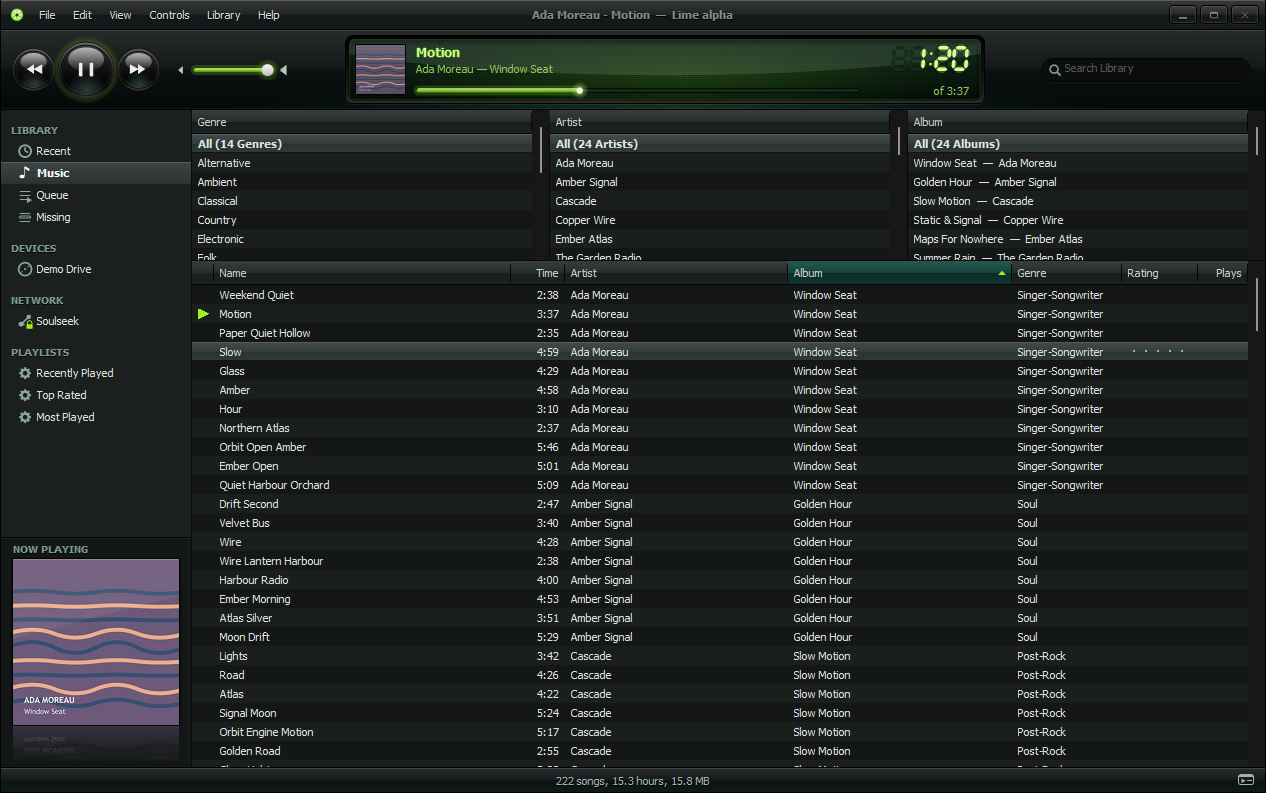
- FLAC first; also plays MP3, AAC/M4A, Apple Lossless, Ogg Vorbis, WAV and AIFF.
- Column browser, ratings, play counts, smart and manual playlists, tag and artwork editing.
- Imports an XML library file with ratings, play counts and playlists.
- Organizes files into folders by a naming template, with undo.
- Finds duplicates and dead tracks; analyzes loudness.
Secure CD ripping
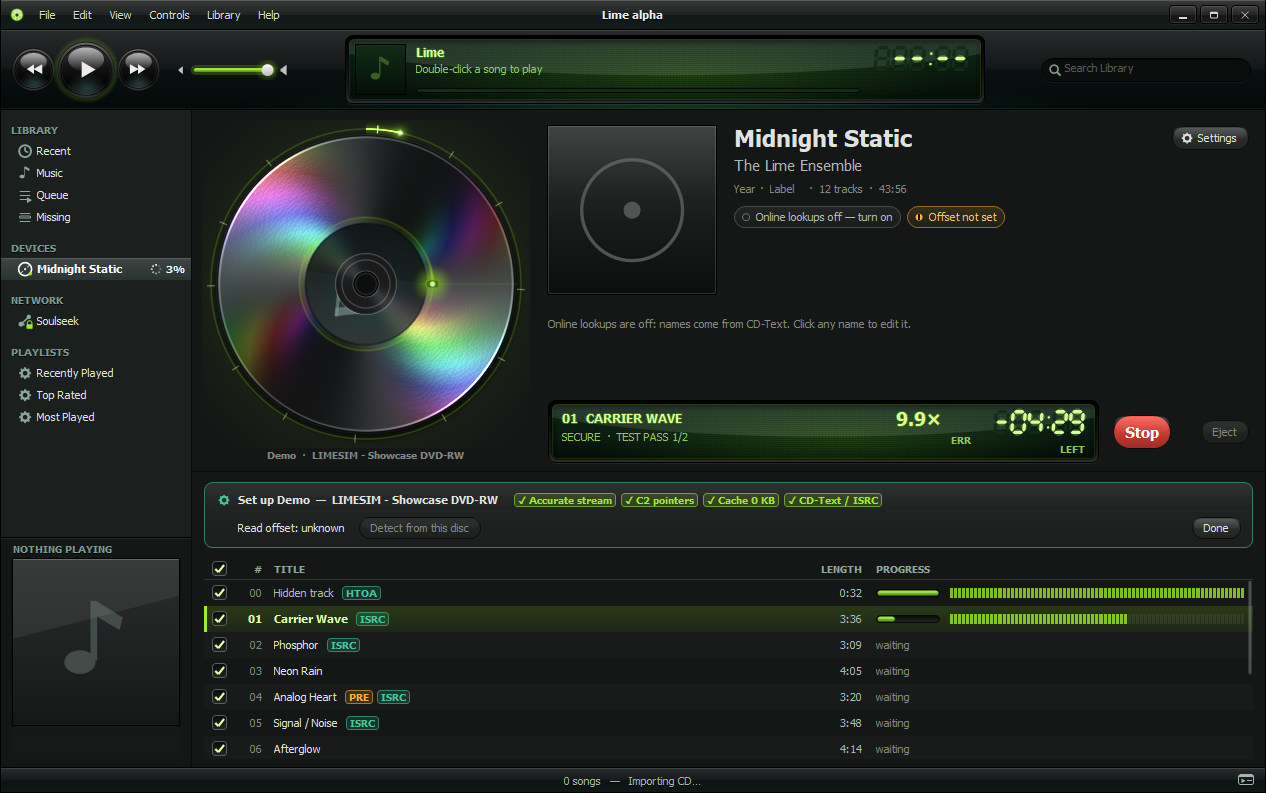
- Secure mode reads every sector twice and re-reads mismatches; Paranoid is stricter, Burst is fast.
- Test & copy, C2 error pointers, drive cache defeat and read-offset correction.
- Verification against AccurateRip and the CUETools database.
- FLAC with ReplayGain tags, optional ALAC and AAC copies, cue sheet, log and cover art.
- Detects hidden track one audio, pre-emphasis, ISRC and CD-Text.
iPod sync that fits Experimental
When your library is bigger than your iPod, Lime picks what goes on it based on your ratings and play counts, and chooses a format per song so the most music fits: lossless where there's room, AAC where there isn't. Nearly complete albums are completed, and a Why? box explains each choice.
- iPod classic, nano (1st-4th generation), mini and shuffle, in disk mode.
- Play counts and ratings from the iPod are merged back into your library.
- Also syncs to a folder or USB player, keeping FLAC if the player supports it.
Back up your iPod before the first sync. iPod sync guide »
3D album flow and gatefold view
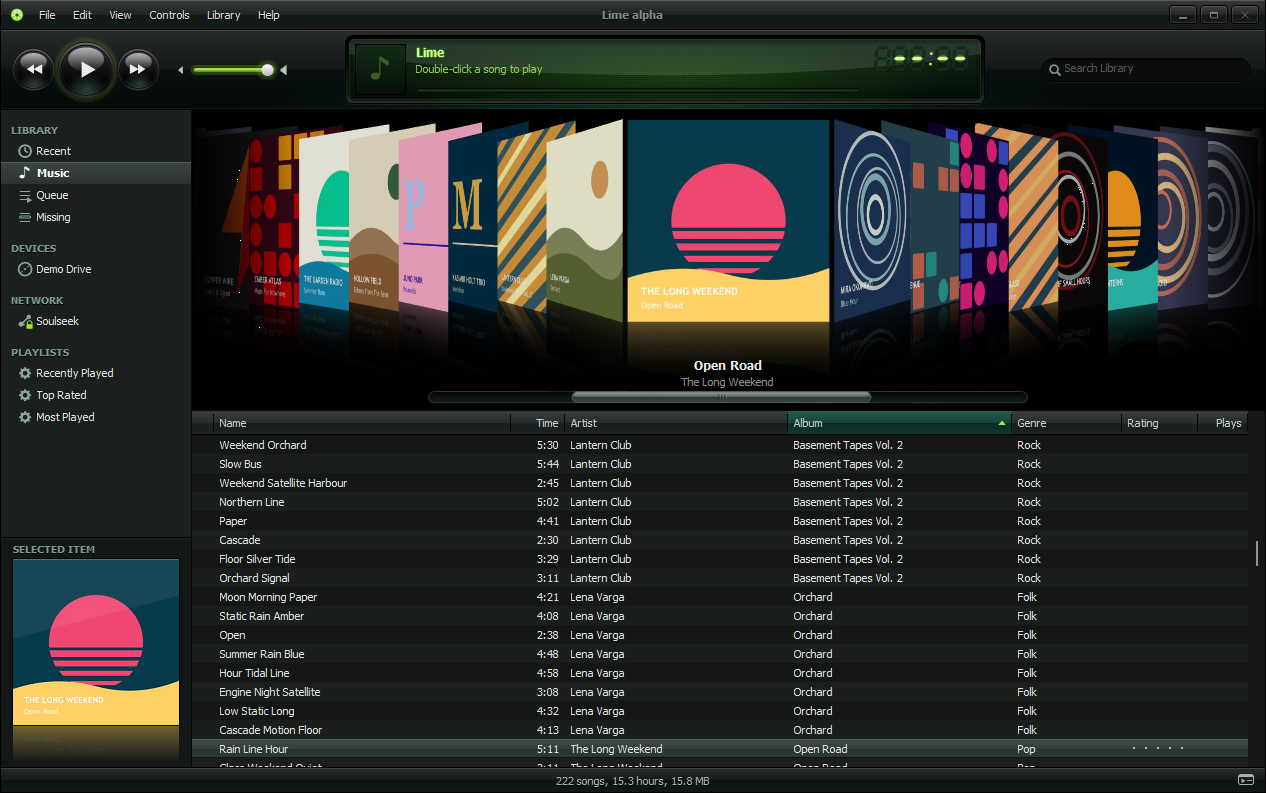
View › Album Flow lines up your covers in 3D above the song list. Drag, scroll or use the arrow keys to flip through; Enter plays the centred album.
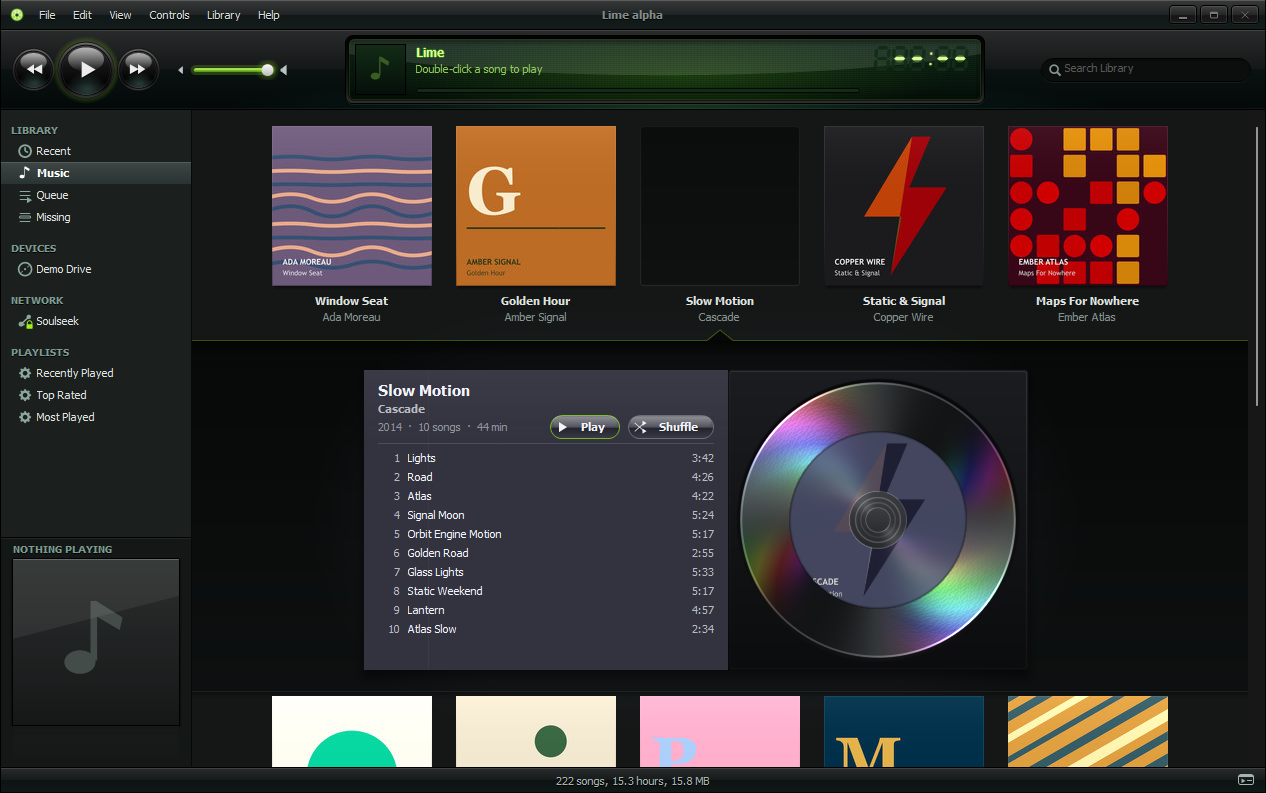
View › as Album Grid shows your library as covers. Click one and it unfolds like a gatefold sleeve: tracklist on one side, the disc on the other.
Now Playing and mini player
Press N in the album flow for Now Playing: the cover, its disc and a real-time visualizer. V cycles the styles, T toggles theatre mode.
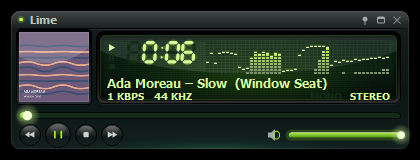
The mini player (Ctrl+M) has an LCD display with a spectrum analyzer or oscilloscope and can stay on top.
Missing tracks and watch folders
Library › Find Missing Tracks compares your albums with MusicBrainz and lists exactly which tracks are missing. Lookups are off until you turn them on.
Watch folders import new music from, say, your downloads folder: in place, or copied or moved into your library. Zip files are unpacked and every import can be undone. How to set one up »
Soulseek integration
Lime has its own Soulseek client built in. Search the Soulseek network, browse a user's shared folders and download whole albums without leaving Lime. It stays off until you turn it on and accept its terms, and sharing is off unless you choose folders to share.
- Results grouped as album folders or single files, with filters for lossless, bitrate, free slots and complete albums.
- Search syntax: exclude words with
-live, filter withbitrate>=320,ext:flacand more. - Every download is checked before it reaches your library: real audio format, length and FLAC checksums. Images are re-saved from their pixels.
- Works with Missing tracks: a wishlist keeps looking for incomplete albums and marks the ones it finds.
- Downloads land in a watch folder and are added to your library automatically.
You are responsible for complying with copyright law where you live. See Legal.
Playback
- Gapless playback, including MP3 and AAC encoder delay trimming.
- Volume levelling by track or album (ReplayGain) with a soft limiter.
- Optional crossfade that skips songs from the same album.
- 10-band equalizer and output device choice.
- Media keys work while Lime is in the background.
Also
- Two skins, Midnight and Midnight Flat, and keyboard shortcuts for almost everything.
- Exports your library to an XML library file.
- Signed automatic updates, checked at most once a day; can be turned off.